
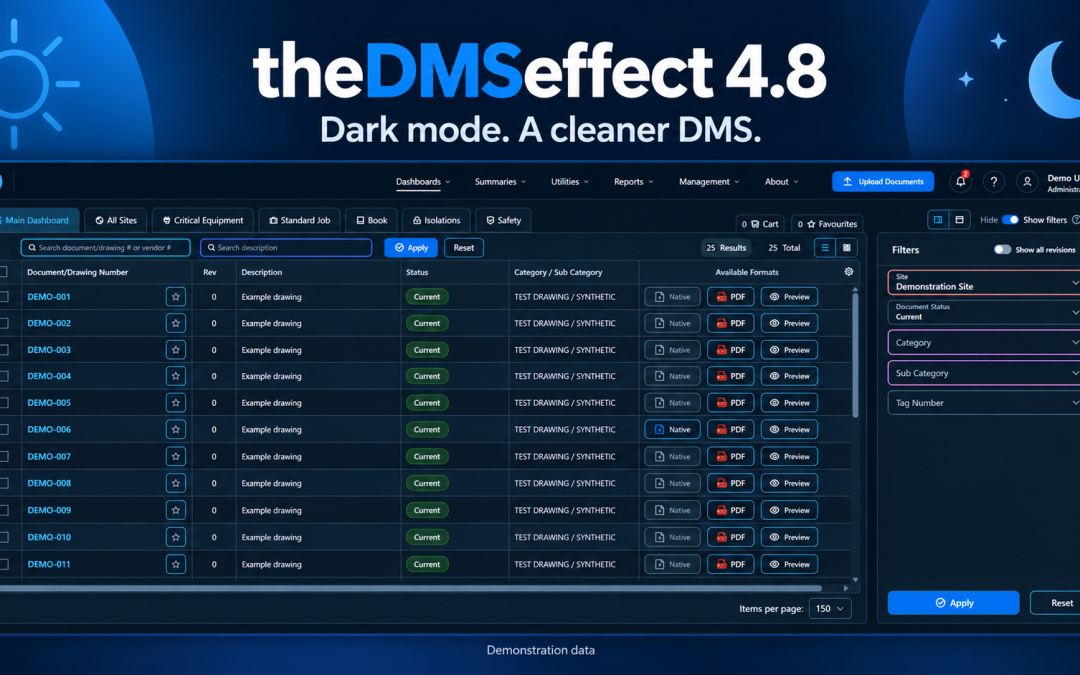
Dark mode is here, with a cleaner look across theDMSeffect
Version 4.8 is a major release for theDMSeffect, and one we’re proud to share. Dark mode leads the update, alongside a cleaner, more consistent interface, a refreshed sign-in screen and improvements to everyday drawing and document workflows.
Version 4.8.0
Choose Light or Dark Mode
You can choose a Light or Dark appearance in My Profile. DMS remembers your selection and applies it immediately when you return.
A clearer sign-in experience
The refreshed sign-in screen brings account branding, guidance and client-specific information into a clearer layout. Microsoft and username/password sign-in remain available, along with password-reset and help links.
The saved account login-screen message is also restored, and password-change and reset forms work within the updated layout.
A more consistent interface
Forms, filters, tables and dialogs have been refreshed across DMS. Selected filter values are easier to read, text and arrows line up more consistently, and dark-theme buttons and empty tables have clearer contrast.
The underlying web interface and data-loading code have also been modernised, providing a cleaner foundation for future improvements.
Clearer uploads and checking controls
When an uploaded ZIP contains several metadata CSV files, the wizard tells you how many it found, which file it used and how many it ignored. The notice stays visible after Continue.
The System Administrators heading remains visible as a separator in approver and checker lists, but cannot be assigned as a person. Upload revision recognition also handles more filename case variants.
Account and site Base Checkers can complete or reject only their own pending assignments and cannot reassign checkers. Management permission applies to the document’s site. A denied checking request leaves workflow records and notifications unchanged.
More predictable administration and categories
Setting another user’s default dashboard layout now updates that user only, leaving your own saved preference and active dashboards unchanged.
File Paths help explains how to enable the Properties tab in Document Details, where paths can be viewed and copied for external file connections.
Categories without subcategories now display a yellow help icon explaining why they will not appear in population utilities until subcategories are added. Category headings, entry-field focus cues and subcategory controls have also been tidied up.
Easier scrolling and everyday fixes
Dashboard selection now recalculates table space so the horizontal scrollbar stays visible above the selection actions. Upload and Populator scrollbars are easier to see and use, with further fixes to responsive tables, reports, All Sites filters and Collection loading.
This release also corrects PDF preview printing, attachment filename display and document-detail panels. Job notifications open the correct section, with further fixes to job and approval summaries and due-date validation.
If you have any questions about this release, please contact our team.